CONSIDER IT DONE

Think it. Consider it done.

Cindy is an open-source AI agent, ready to work. Connect your computers and phone, share access to tasks, files and models, and bring your favorite agents and existing subscriptions together.

Downloads for other platforms →
CLAUDE CODE + CODEX + PIMORE MODELSOPEN SOURCEDESKTOP + MOBILE
Cindy, a girl with a black cat on her shoulder
CINDY // ALTER EGO
// 01All your devices. One Cindy.

All your devices.
One Cindy.

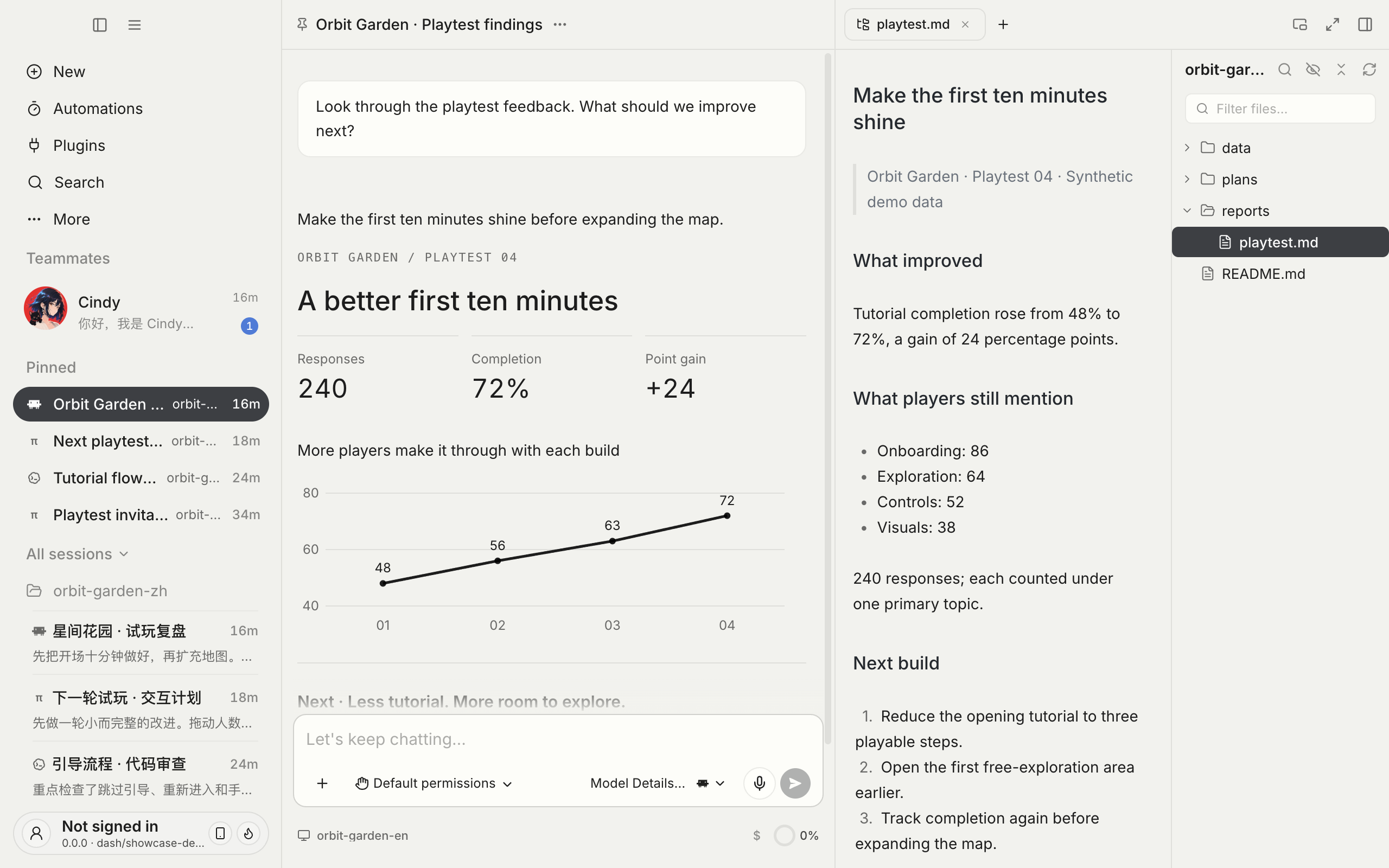
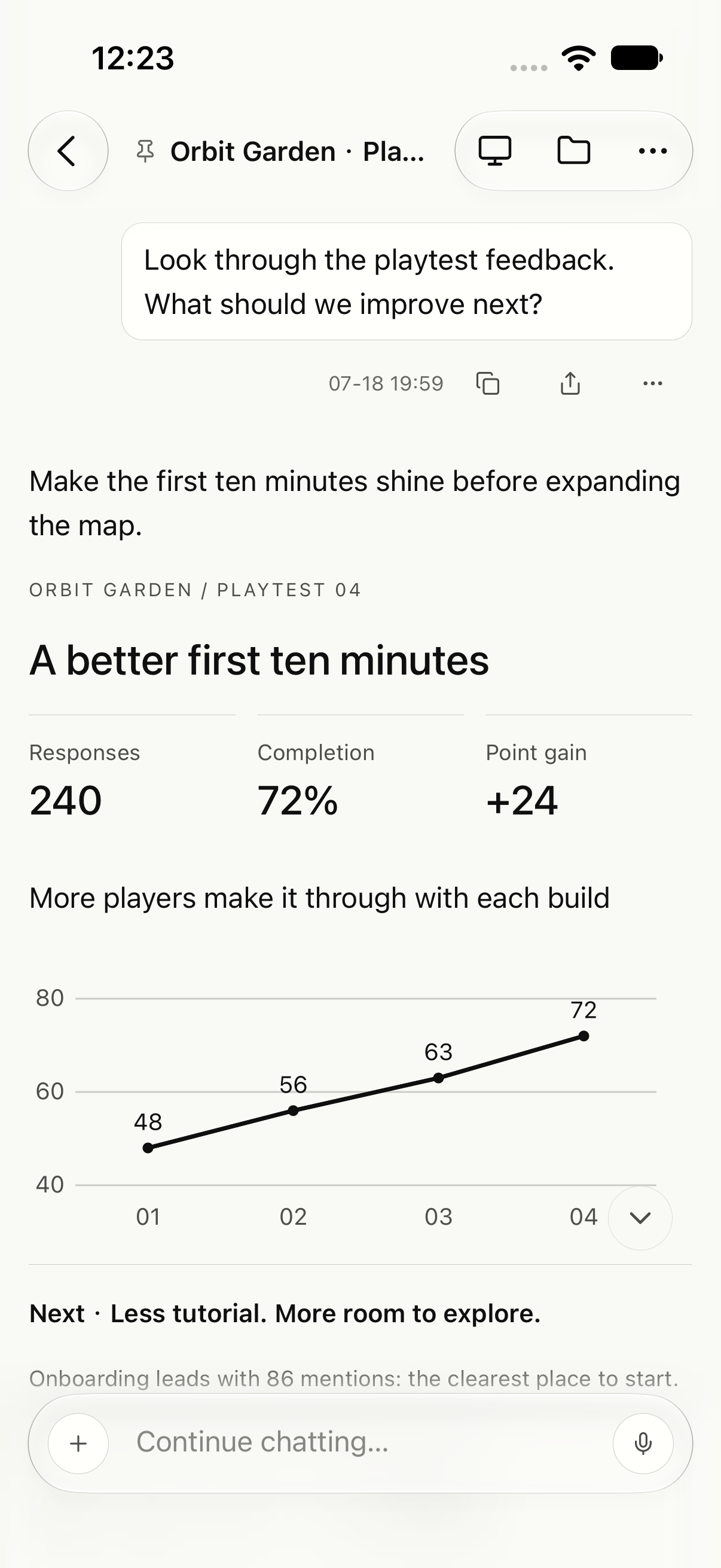
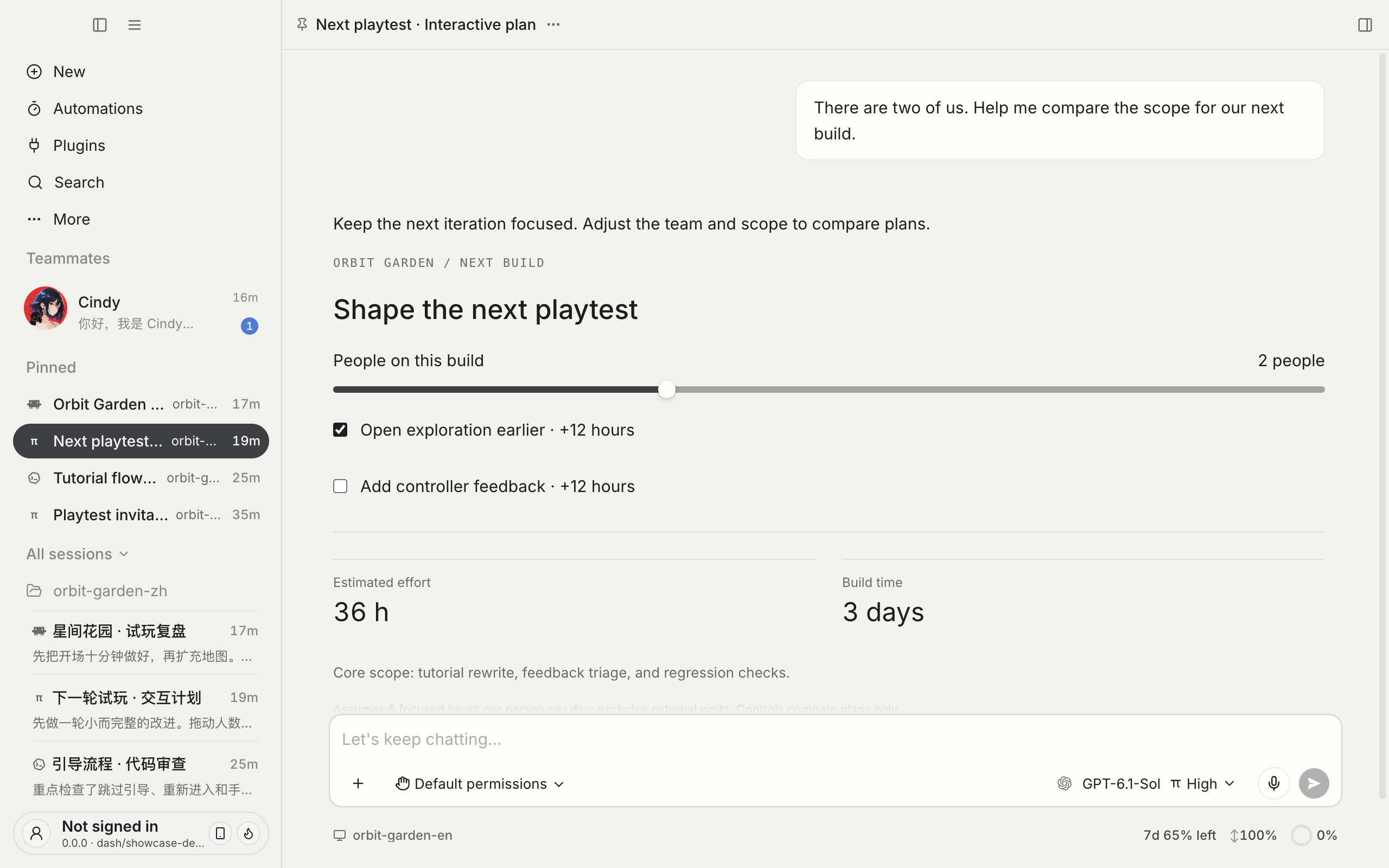
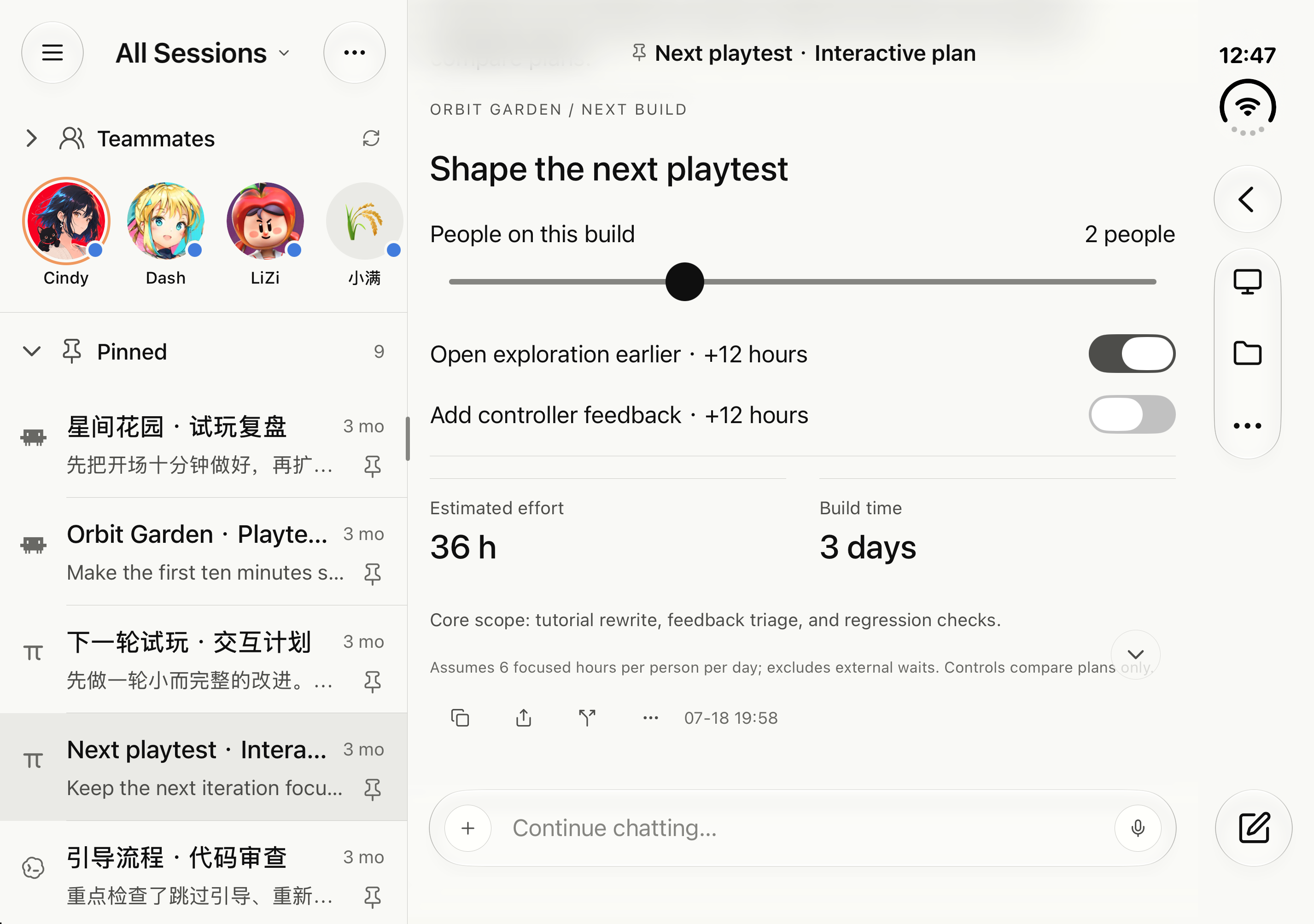
Your work computer, home machine, laptop and phone, connected. Change screens without losing the task. Reach your conversations and files, and use models configured on another computer.

Desktop · Tasks, conversation and project files
Phone · Native mobile conversation
Laptop · Task list and full conversation
iPhone Duo · Open · Unfolded task and conversation panes
01

Your models can travel too

Use subscriptions, APIs and local models configured on another computer. Keep the task on its original machine and borrow model access from another, without repeating the setup everywhere.

02

Conversations and files, within reach

Access the same task across devices. Browse, preview and transfer task files, retrieve work from your computer, or send it material from your phone.

03

Your computer desktops, on your phone

Built-in remote desktop lets you switch between connected computers. See the actual screen, type and operate software when you need to take over.

Your work lives on your computers

Your computers store local project files and full execution records. Working remotely means connecting back to your own environment.

Your computer. Your server. No rent.

Connect from around the world to your tasks, files and models. No backend to deploy or server to rent. Your chosen model service's charges still apply.

Use the same account with the relevant computers online and authorized. Model sharing also requires remote access enabled for that provider; its fees and limits apply. File access is not whole-drive sync. Online models and cloud companions involve data transfer or cloud sync.

// 02Multi-Harness

Different strengths. One Cindy.

Choose Claude Code, Codex or Pi in the same place. Switch between supported harnesses and models with task history, memory and skills at hand. Less copying context. Less starting over.

Take the best from every stack. Get trapped by none.

Pi · Lean, open, extensible.

Choose from multiple model providers and shape your workflow with extensions and skills. Already integrated in Cindy: pick a model and get to work.

// HARNESS DECK / 03 CONNECTED
HARNESS_01CLAUDE
CODE
CONNECTED
HARNESS_02CODEXCONNECTED
HARNESS_03PICONNECTED
CINDYHARNESS × MODEL ROUTING
TASKMEMORYSKILLMODELSTOOLS

Let another agent pick up the work, inside the same task.

ADVANCED · MULTI-AGENT

One isn't enough? Let her lead a crew.

Plan first. Build, test and document in parallel. Then bring in an independent review. Choose a suitable harness and model for each role, follow the work and decide what comes next.

WORKFLOW EXAMPLE / ONE TASK, SHARED WORKCONTEXT HELD BY CINDY
01 / PLANDEEP REASONING
CLAUDE CODE×FABLE 5.1

Architecture · Work breakdown · Acceptance criteria

02 / EXECUTE · PARALLEL3 WORKERS
WORKER_01CODEX × GROK 4.7Implementation
WORKER_02CLAUDE CODE × KIMI K3.1 PRORegression tests
WORKER_03PI × GLM-5.3-FLASHDocs & migration
03 / REVIEWQUALITY GATE
CODEX×GPT-6.1 SOL

Diff review · Edge cases · Pass / Rework

CINDY HOLDSTASK · CONTEXT · ACCEPTANCE

A harness is an execution engine; models are a separate choice. Available combinations depend on the provider, authorization and model capabilities. This example is not a managed-service model list.

// 03Your models. Your choice.

Bring what already works for you.

A better agent experience should not mean another model subscription. Connect a plan or API key you already have, or choose Cindy's managed service.

Existing model planSign in / Plan keyYour API keyConnect your providerCindy serviceSign in and use creditsLocal models · BetaConnect a local runtime

We encourage you to use your own subscriptions and keys.Sign in with Claude, ChatGPT, SuperGrok, Kimi Code, MiniMax or GitHub Copilot. Connect other supported Coding Plans with a key. Pi is a harness, not another subscription to buy.


Your provider's fees and limits still apply. Local models are in beta and depend on your hardware. Third-party tools may require separate authorization.

REAL WORKFiles · Projects · Browser

Work in your existing environment, with files and results close at hand.

CONNECTED TOOLSSlack · GitHub · Feishu

Install the connections you need and authorize your accounts.

ACROSS DEVICESComputer · Phone · SSH

Pick up tasks on mobile or connect a server environment.

MAKE IT YOURSSkills · Plugins · MCP

Install useful capabilities and keep your own working methods.

// 04Open Source · Yours to Shape

Great from day one. Yours to dress up and train.

Keep useful context. Teach a method. Add a new capability. Start with an agent ready to work and shape a companion that fits the way you work.

Open source means more than visible. It means changeable.Apache-2.0 · Audit · Fork · Build · Contribute

YOUR OWN TEAMMATES

Good for a task. Better as a teammate.

Keep the roles you work with often. Give each companion a name, a responsibility, memory and skills. Pick up together next time.

01

A role of her own

Research, implementation or review, with a clear responsibility and working method. No need to rebuild a role prompt every time.

02

Something to build on

Keep preferences, project context and useful methods in memory and skills you can inspect and improve.

03

A working rhythm

Set up routines on your computer for recurring checks, work and reports. Connected chat channels can bring her new tasks too.

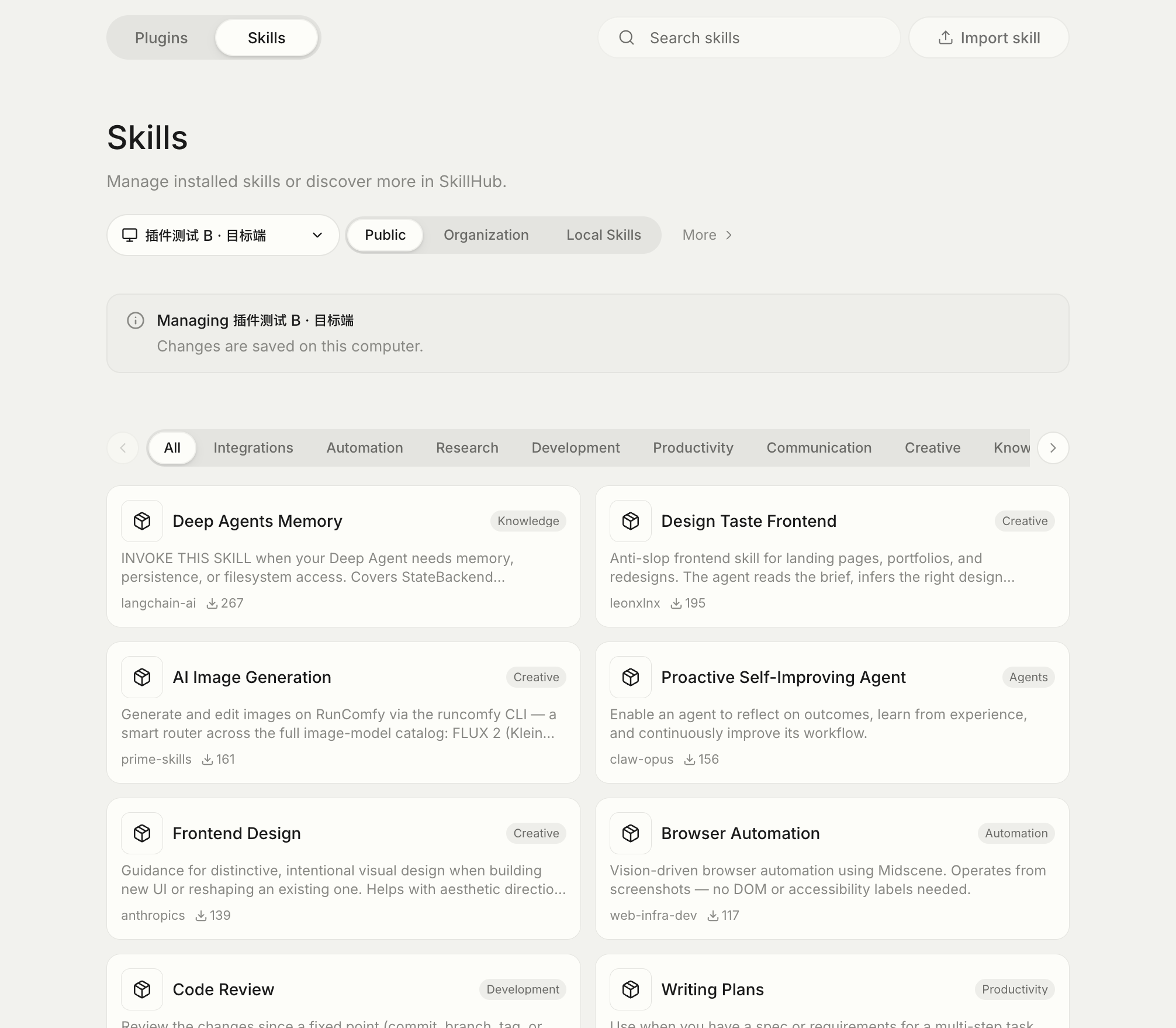
Cindy SkillHub public marketplace with categories, authors, skills and an installation target
SKILLKeep a method that works

Install skills from SkillHub, or write and publish your own methods for the next task to reuse.

PLUGINConnect your everyday tools

The plugin marketplace is open. Install a connection, inspect its permissions and authorize your account.

MCPReach your own systems

Connect internal tools and self-hosted services so Cindy can work in your environment.

SOURCEBuild a better Cindy, together

Apache-2.0. Suggest changes, contribute code and share skills or plugins so your improvements can help someone else.

Ready out of the box. Never boxed in.

// 05Trust

Give her the work. Keep the say.

See the process and know the boundaries. Choose permissions, inspect results and decide what comes next.

You choose the permissions

Set access for each task. Requests that need confirmation wait for you, including on your phone.

Inspect the code changes

View diffs and request an independent review. Eligible local Git tasks can use worktrees and checkpoints.

Know where data goes

Files can be handled locally. Model requests send relevant context; companion sync, remote access and external tools also transfer data through their services.

See work as it happens

Follow tool calls, results and available usage information. Add direction or stop a task when you need to.

// HOW ADVANCED TEAMS WORK

Advanced teams already work alongside AI

Traditional collaboration is a pipeline: product waits for design, design waits for engineering, engineering waits for QA. Give everyone Cindy and put her in the team chat: ideas become discussable drafts on the spot, discussions become active tasks, and the pipeline becomes a network that starts together.

Product stops waiting for prototypes

Turn an idea into a clickable demo during the meeting and discuss the artifact, not the spec.

Design stops waiting for a slot

Apply a direction to the real page so the team sees the result, not another mockup.

Engineering stops working serially

Run tests, docs and release notes in parallel, then focus on review and judgment.

Discussion stops waiting to land

@ Cindy in Slack or Feishu and the first working version can be there before the meeting ends.

// 06Team & Enterprise

TEAM & ENTERPRISE · JOIN THE WAITLIST

Ready for one person. Configured once for a hundred.

Bring a useful personal workflow to the team. Set up models, permissions, credits and skills centrally so each person does less repeated configuration.

  • Shared identity and team configuration
  • Central model access and usage controls
  • Shared skills, tools and working standards
  • Self-hosted or Cindy-managed enterprise Gateway
// 07Pricing

Free software. Services when you want them.

Use your own key or a supported subscription without an extra software fee. Choose Cindy's usage credits or monthly plans when you want a managed model service.

Software features and model usage are separate. Use your own provider and pay them directly, or buy usage credits from Cindy. Managed plans are not unlimited model access.

See full pricing and rules →
FREE
$0
Free software with every software capability when you bring your own key
  • Agent, multitasking and tool capabilities
  • Your API keys and supported subscriptions
  • Local model connections · Beta
PLUS
$20 / month from
Managed model service that works the moment you sign in
  • Monthly credit matches the one-month purchase price; monthly plans save 20%
  • Leading models, one connection, regularly updated
  • Higher SUPER / ULTRA tiers available
TEAM
Coming soon
Collaboration and centralized governance
  • SSO and centrally distributed config
  • Model access and credit controls
  • Team skills and working standards
ENTERPRISE
Contact us
Self-hosting and compliance for enterprises
  • Gateway inside your VPC
  • Complete audit logs and cost attribution
  • Dedicated support
GET CINDY
Give her the first thing you genuinely want off your plate.
// 08FAQ

Frequently asked questions

Why Cindy if I already use Claude Code or Codex?

Cindy brings together the strengths of different harnesses, shaped by our own product vision and attention to detail: intuitive interactions, a cohesive experience across devices, and fluid remote access. Keep your familiar subscriptions and work across your phone and multiple computers.

Cindy is open source and grows with contributions from the community. You can contribute improvements, or shape her through memory, skills, plugins and source code to make Cindy your own.

How is a harness different from a model?

Claude Code, Codex and Pi are agent harnesses that organize execution. Models do the reasoning and generation. Cindy offers both choices; available combinations depend on the provider, authorization and model capabilities.

Can my phone keep tasks running when my computer is off?

Remote tasks execute on your computer, which needs to be online with remote access enabled. Mobile can interact with reachable computers; it does not automatically move offline work into the cloud.

Is Cindy free? Can I use an existing subscription?

The client is free. Authorize a supported subscription or connect your own API key. Your provider's usage fees and limits still apply. Cindy's managed model service is an optional, separately billed choice.

Can I use local models?

Use Ollama, llama.cpp or local services such as LM Studio. Local models remain in beta; results depend on the model, hardware and runtime.

Where do my files, code and conversations go?

Local-first does not mean no data ever leaves your device. Model inference sends necessary conversation and file content to your selected service. Companion cloud sync, remote devices and external plugins also transfer relevant data. Choose services, permissions and sync settings to fit your needs, and read the privacy policy.

Are skills and plugins available now?

Yes. Browse, install and update skills and plugins, or create and share your own. Third-party services may still require their own accounts or subscriptions.

How do I apply for Team or Enterprise?

Join the waitlist with your email. We will contact you when access opens. Team focuses on shared setup and governance; Enterprise adds self-hosting and support options.